Table of Contents
- Youtube Video:
- Software Info:
- Do I need to issue a 1099-NEC for contractor payments? What are the 1099-NEC filing requirements?
- When is form 1099-NEC due?
- Do I need to file a 1099 with the state?
- How to file a 1099 NEC for a contractor:
- [TUTORIAL] Step-by-Step How to Prepare 1099-NECs Electronically with the IRS
- What if my E-filed 1099-NEC is rejected?
- How to fix a mistake on an E-filed form 1099-NEC?
Youtube Video:
Software Info:
My software link: https://get.tax1099.com/mcxfyt69xi6y
Discount code: BFCOACH15
It costs just a few dollars (or less the more you file) per form. Well worth it!
See the "TUTORIAL Step-by-step for how to E-file 1099NECs" down below or see the tutorial in the youtube video above (starts at 9:10).
Do I need to issue a 1099-NEC for contractor payments? What are the 1099-NEC filing requirements?
If you paid someone for working in your business more than $600 during the year, you will generally need to file them a 1099-NEC.
Unless...
- You paid them as a W-2 employee.
- You are paying their business, which is taxed as an S-corporation or C-corporation.
- Exception to this exception: Legal services (still file a 1099-NEC for lawyers)
- You pay them using a credit card (or a bank card processed as a credit card).
I'll explain all of these situations in more detail throughout the guide.
What payments require a form 1099-NEC?
All payments you make to the contractor through cash, check or direct deposit.
I pay my contractors with a bank transfer through direct deposit. This tends to be the cheapest way for all of us.
Credit card payments do not need to be filed, see the next question!
Is a 1099 required if paid by credit card?
If you pay a contractor with a credit card (or a bank card processed as a credit card), then you are not required to file a 1099-NEC for the payments.
Also, if you use a payment processing website directly, like PayPal, the payments are treated the same as using a credit card (because it's a payment processor).
This is because payment processors have their own filing requirement for Form 1099-K with the IRS and therefore these payments are being accounted for.
If you are making a payment through an online invoice or website by entering a credit card, then these are the types of payments we are explaining here.
You can learn more about the latest on Form 1099-K here.
What is Non-employee Compensation?
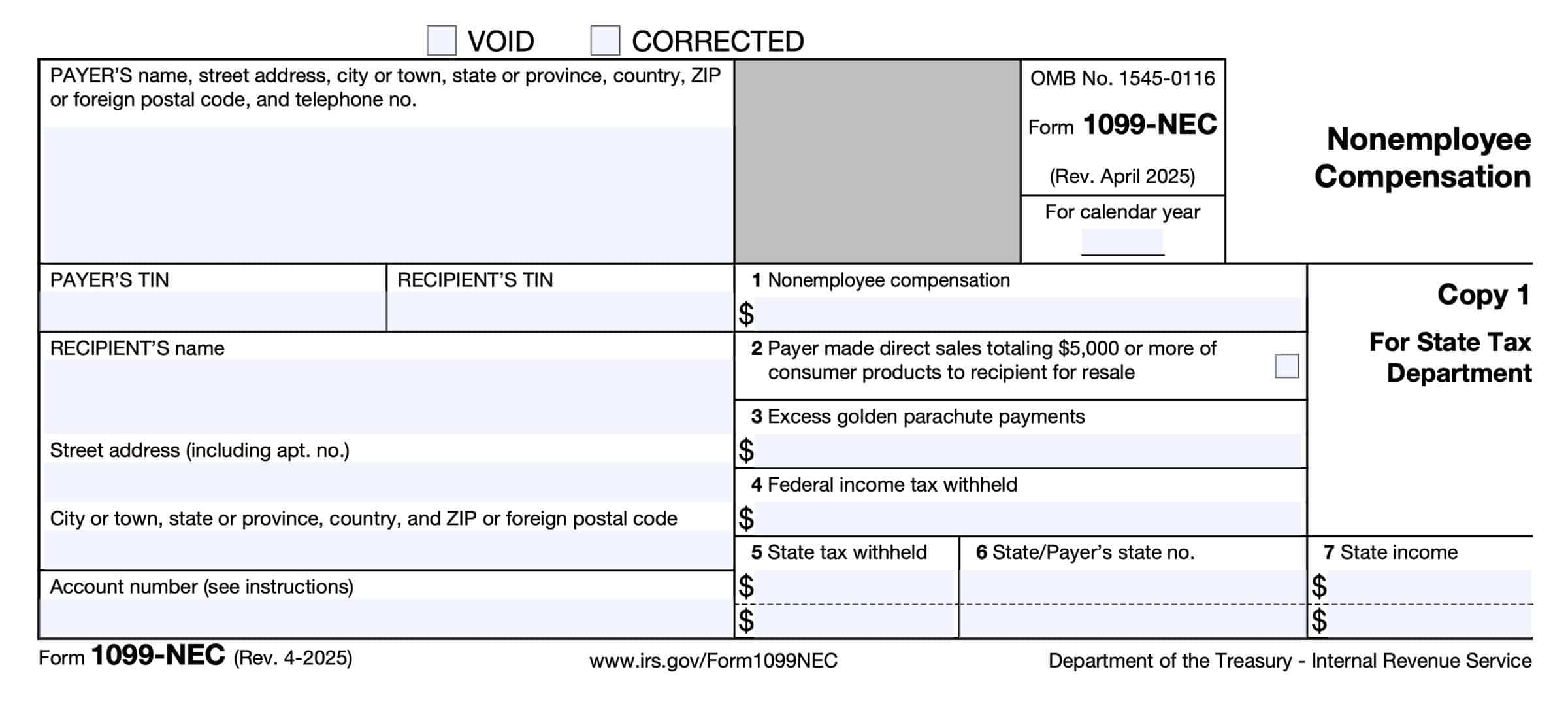
Non-employee compensation is the term used by the IRS for the amounts that you paid your contractors that need to be reported on Form 1099-NEC.
Non-employee compensation is what is labeled on Form 1099-NEC and next to Box1 on the form where you report total payments made to the contractor.
Get Started E-filing Your 1099s Here!
Do I need to file Form 1099-NEC if I paid less than $600? Has this amount changed for 2025 or 2026?
No, you do not need to file a form 1099-NEC for a contractor you paid less than $600 during the year. You can still choose to file it, but you do not need to.
The threshold amount of $600 has not changed for 2025.
However, for tax year 2026, it has been changed to $2,000. This change for 2026 was part of the One Big Beautiful Bill tax act of 2025.
1099-NEC versus 1099-MISC differences:
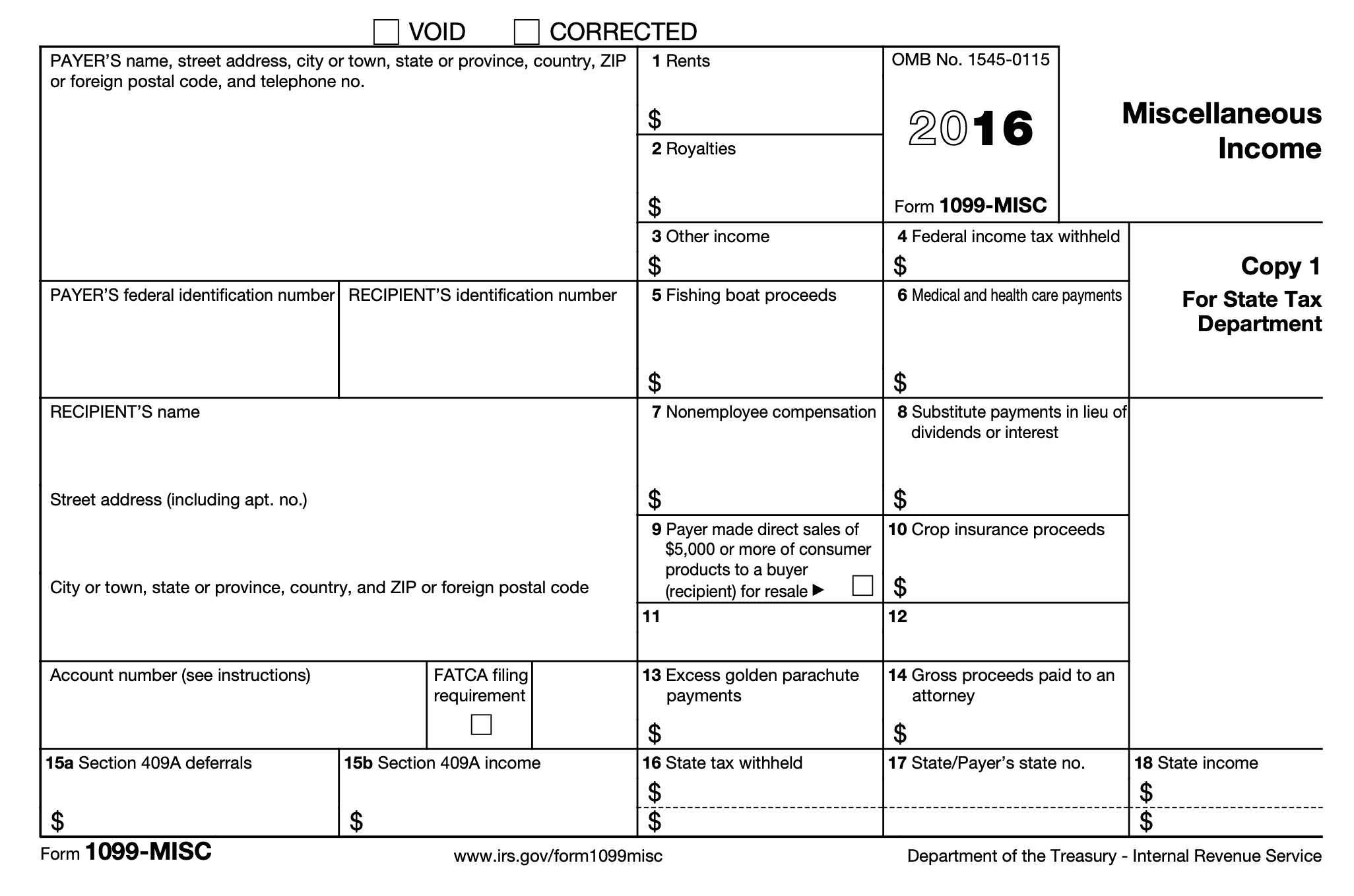
You may have filed Form 1099-MISC in the past for your contractor payments because they used to be reported on Form 1099-MISC Box 7 for 'Non employee compensation'.
In 2020, the IRS removed box 7 for Non employee compensation from Form 1099-misc and gave it its own form — Form 1099-NEC.
Therefore, you no longer file Form 1099-MISC for contractor payments.
You file Form 1099-MISC for other types of business payments:
- Rent
- Health related services (subcontracted medical)
- Products purchased for resale without a traditional storefront (optional, see below)
- Other types of legal services (most small business owners use Form 1099-NEC for legal service payments)
- Certain transactions in the fishing industry
Learn more about Form 1099-MISC here.
When is form 1099-NEC due?
The standard due date for filing this form with each contractor and the IRS, is the last day of January, the 31st, following the calendar year.
However, as with all IRS due dates, if this falls on a weekend or holiday, the due date is moved to the next business day.
For the 2025 filing year, the due date is Monday, February 2nd, 2026 (because Jan 31st falls on a Saturday).
The due date is the same for filing copies with the IRS and the recipient. The due date is also the same regardless of how you file (E-file or paper file).
What happens if you don't file 1099NEC by January 31st/the due date?
The late penalties for 2025 range from $60 - $340, depending on how late you are.
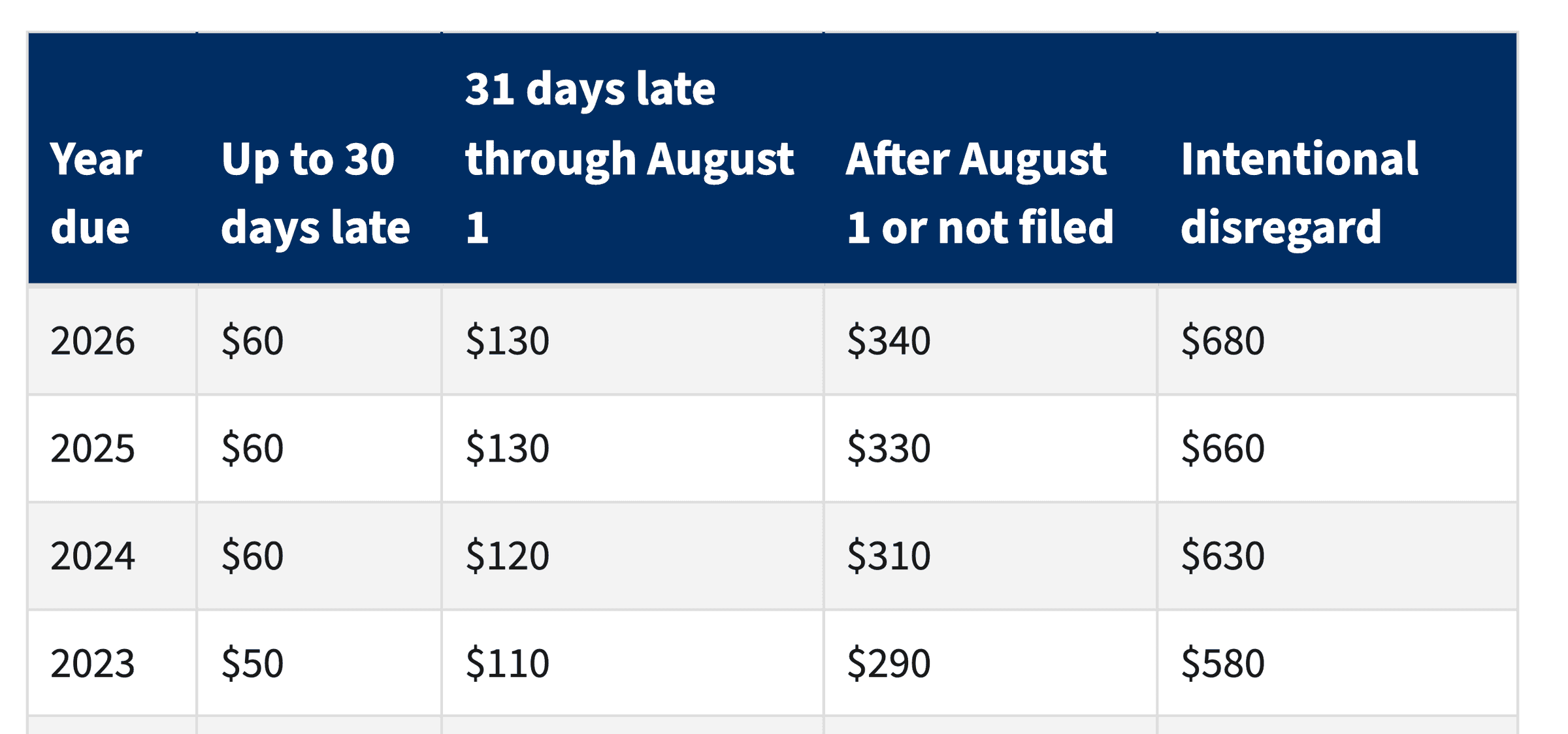
What happens if you never file 1099NEC? Will the IRS catch it?
If you know you need to file and choose not to do so, this is called intentional disregard.
The penalty amount is increased to $680, without any maximum cap. A penalty can also be applied based on the income reported on the forms at 10%.
Additionally (and possibly even more damaging), the amounts you pay contractors are deducted for your income taxes as a business expense.
However, when you don't file the 1099s, these deductions are disallowed. This will increase your taxable income, and late penalties and interest.
Also a good tax preparer will not file your taxes if you are intentionally not filing 1099s.
Get Started E-filing Your 1099s Here!
Do I need to file a 1099 with the state?
Generally yes, but every state has its own rules.
A majority of states participate in the Combined Federal/State Filing (CFSF) program, which allows the IRS to submit a copy of your federal 1099-NEC to your state.
However, some states have their own filing requirement. The software (Tax1099) that I recommend using will automatically give you an option to file your state, if it's required.
As long as the software you use to E-file your forms participates in this program, the state filing will be handled automatically. The IRIS and Tax1099 software participate.
What is the CFSF program?
The Combined Federal/State Filing (CFSF) program allows the IRS to file copies of the federal 1099 with the related state government.
A majority of states participate in this program.
What state do I need to file a 1099 in?
The state where the contractor performs the work for your business.
This is often the state that they live in or their address on the form. However, it can be different.
How to file a 1099 NEC for a contractor:
There are four options for filing these forms. I recommend option #4 because it's the easiest and fastest way!
Option #1: Paper file the forms
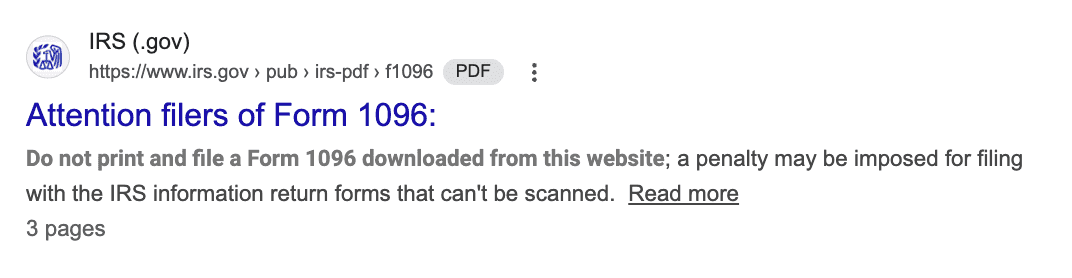
You can paper file the forms, but this is not recommended because you have to use special carbon copy forms that you have to purchase.
Staple and office supply stores carry them. See the IRS warning about just printing this form and not using the special carbon copy forms:
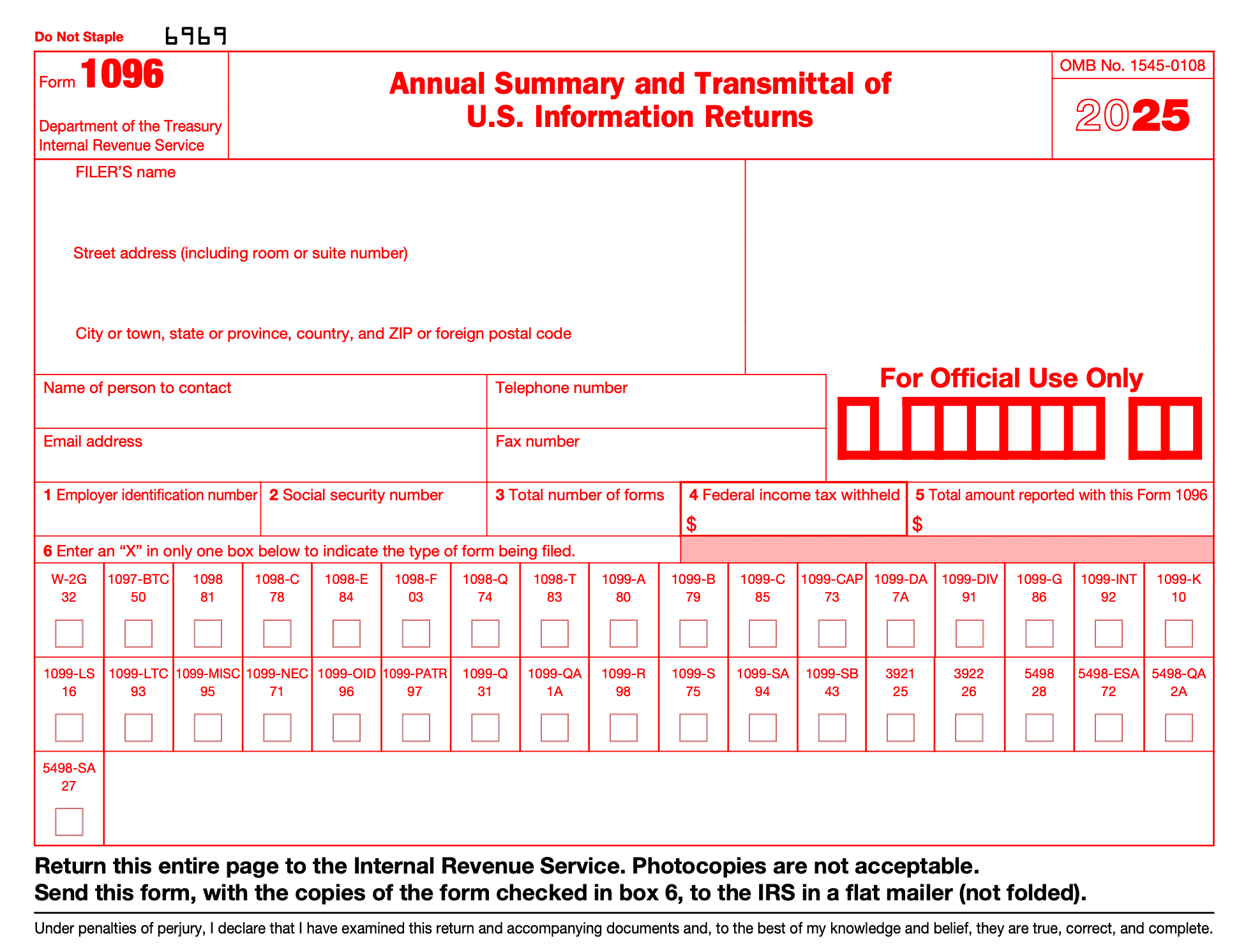
Plus, when you paper file your Form 1099-NECs, you also need to include a Form 1096.
Form 1096 is like a 'cover letter' from the days of faxing. It summarizes the number of Form 1099s that you are submitting on paper.
However, it's a lot easier to E-file using option #4.
Option #2: Use the IRS's free website IRIS
IRIS stands for Information Returns Intake System and is a free tool for filing IRS forms.
This is a great tool, and it's completely free.
However, the big problem with this tool is that you need to allow at least 45 days for you to get your account set up.
So go use option #4 and then come back and do this step so that you are ready for next year!
Option #3: Use a CPA or accountant
This might be the easiest method, but it's also the most expensive.
If you are already using a CPA or an accountant for accounting or tax preparation, you might ask them about their rates.
Option #4: Third party E-filing software
The best thing about this software is that you can set up your account and E-file all within a few minutes.
The site I like the best does charge around $2 per form, but honestly, it can be cheaper than buying the special forms for paper filing.
Plus, the site I recommend will also deliver the contractor's copy to them through email and/or USPS.
I also have a special discount code to save you a little extra, and it will give me credit for this blog — so if you are getting value from this resource, I would so appreciate it if you used my link and code!
Tax1099 software link: https://get.tax1099.com/mcxfyt69xi6y
Discount code: BFCOACH
Get Started E-filing Your 1099s Here!
[TUTORIAL] Step-by-Step How to Prepare 1099-NECs Electronically with the IRS
Step #1: Create an account (click the button above to get started!)
Click the following link for Tax1099 and click "Sign Up" in the top right, to create an account: https://get.tax1099.com/mcxfyt69xi6y
You can create your account and follow along without any obligation to use this method. Forms aren't filed until you submit and E-file them at the end.
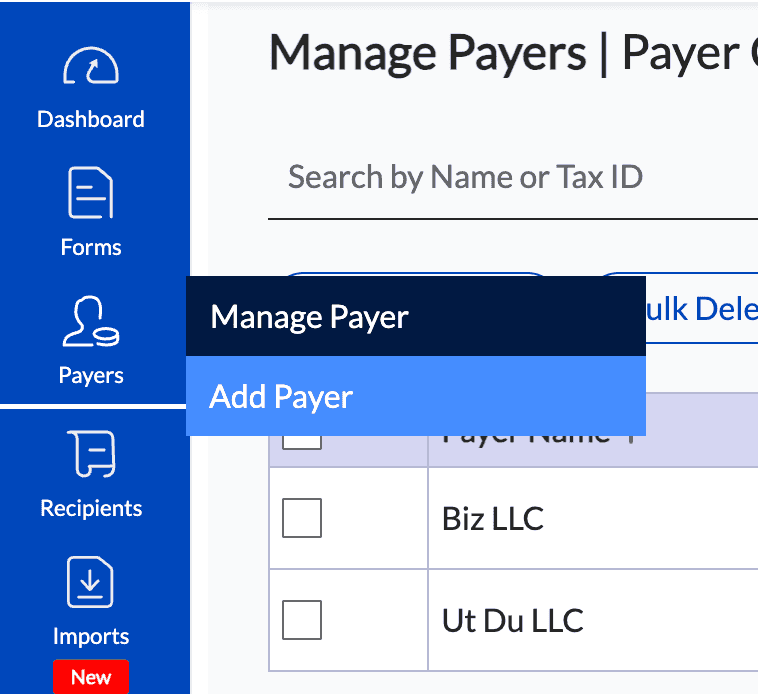
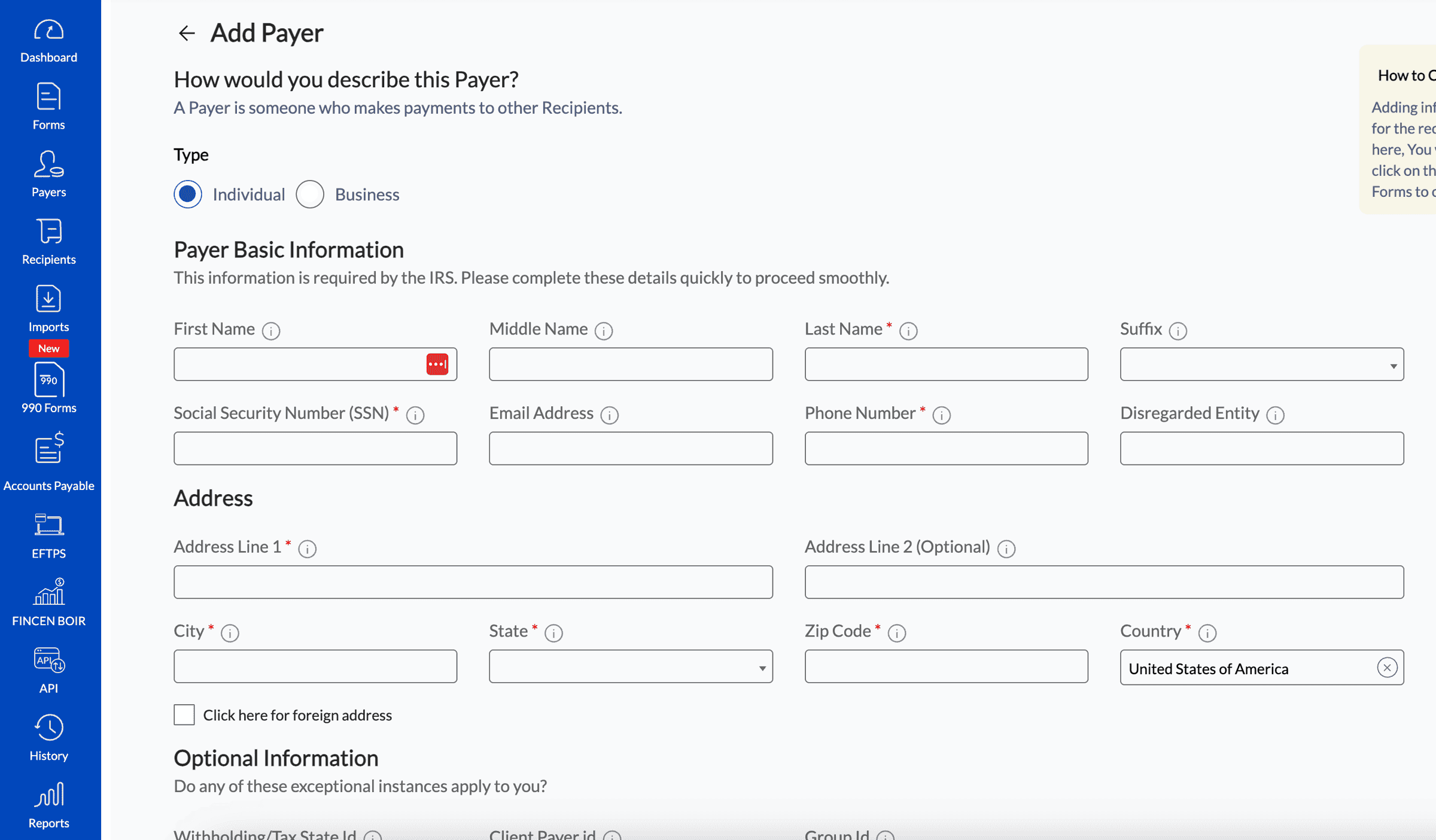
Step #2: Add your business as a 'Payer'
Go to the blue menu on the left and select the "Payers" tab, and then click "Add Payer."
This is where you add your business name and details (name, address and SS/EIN/TIN).
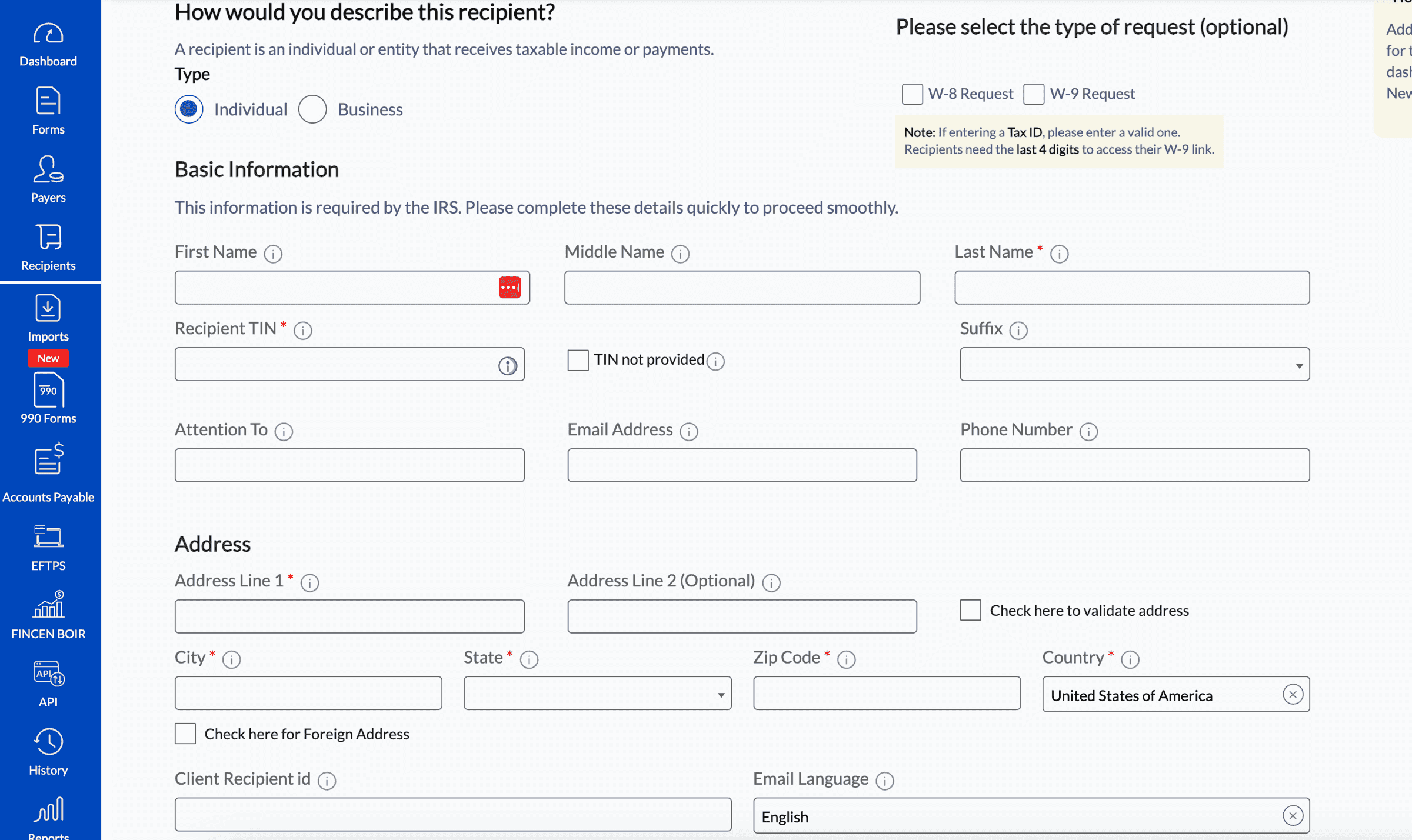
Step #3: Add your contractors as 'Recipients'
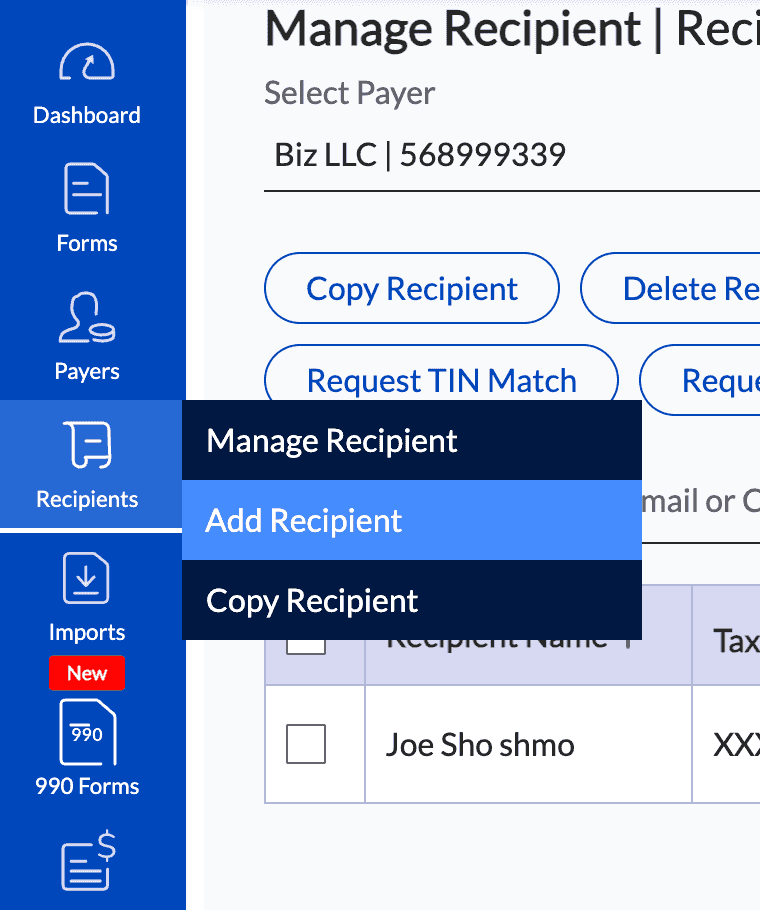
Go to the blue menu on the left and select the "Recipients" tab, and then click "Add Recipient".
Add each person or business that you are filing a 1099 for with the name, address and SS/EIN/TIN.
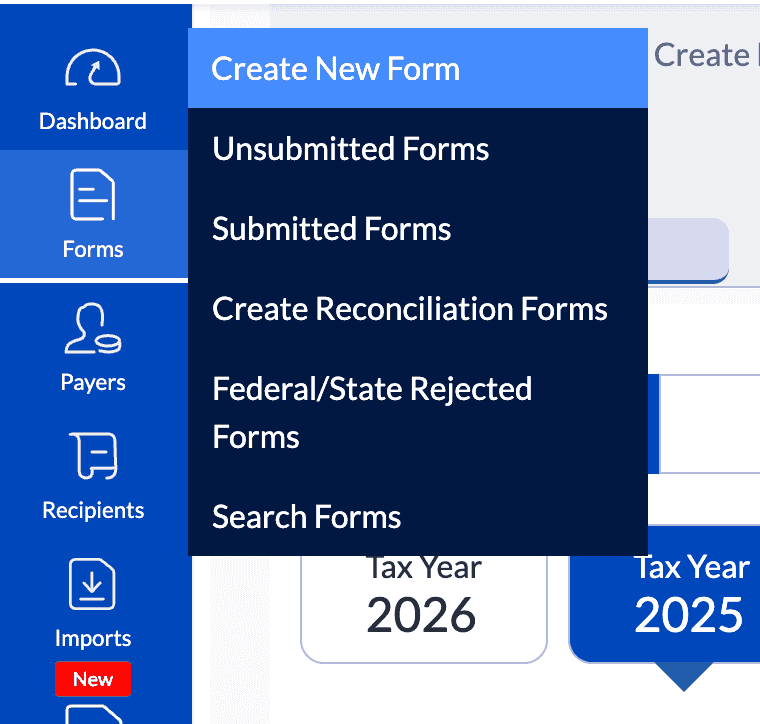
Step #4 Add your Form 1099-NEC
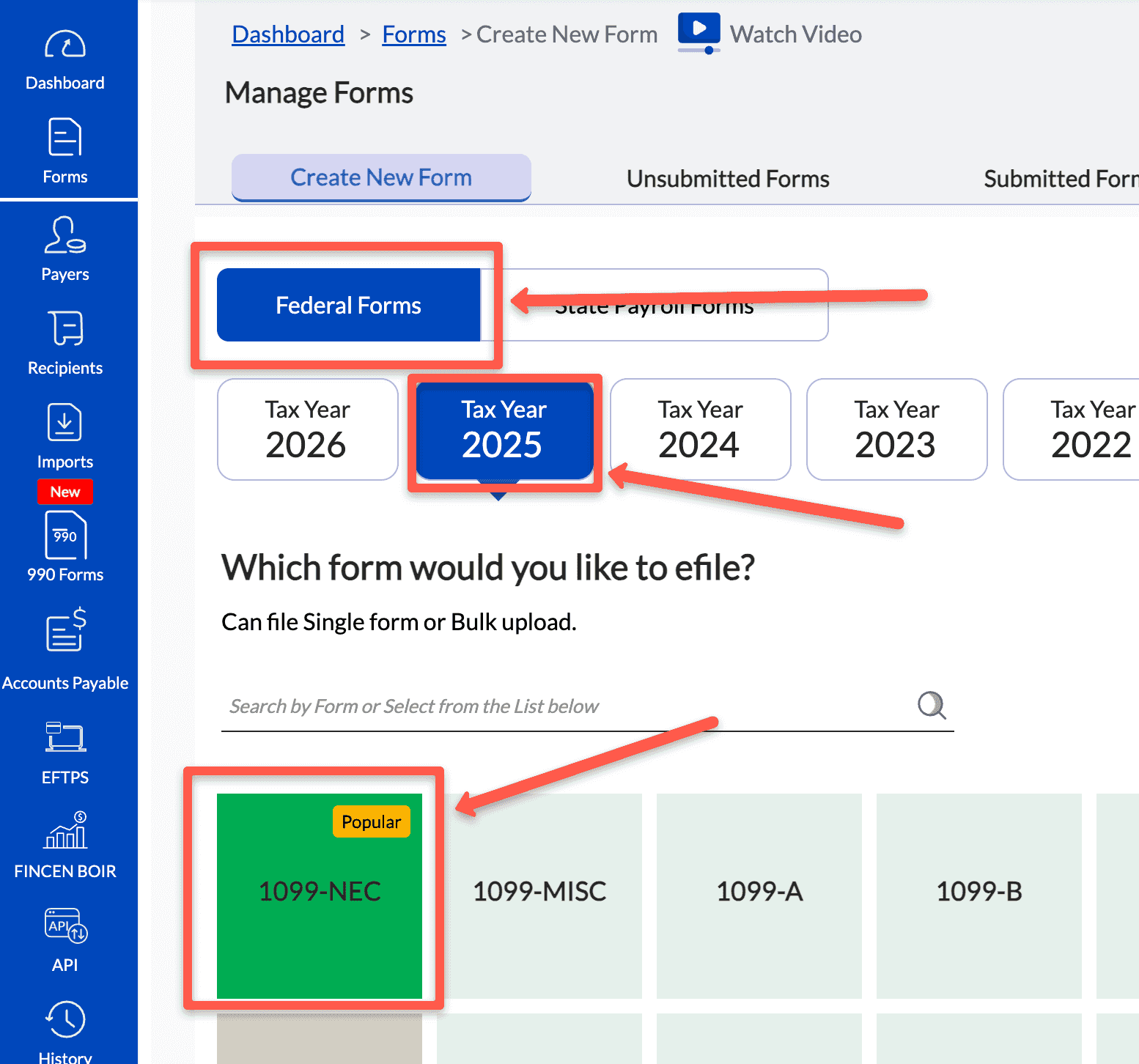
Go to the blue menu on the left and select the "Forms" tab, and then click "Create a New Form"
Starting at the top of the screen, select "Federal Forms", the tax year, and then click the "1099-NEC" green box below.
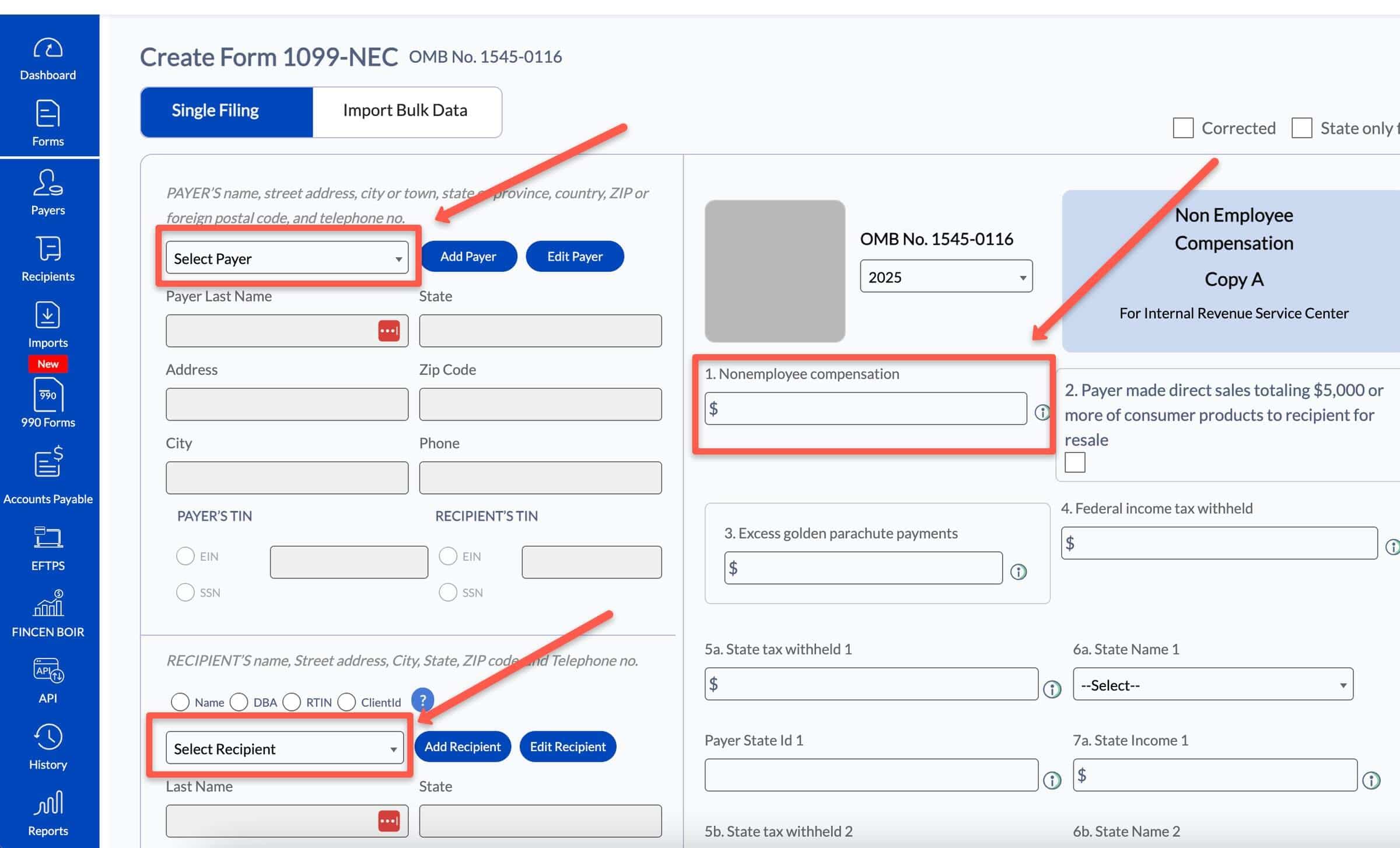
On the next screen, update your form details by selecting:
- Yourself under the "Payer" drop down menu
- Your contractor under the "Recipient" drop down menu
- Enter the amount you paid the contractor in box 1
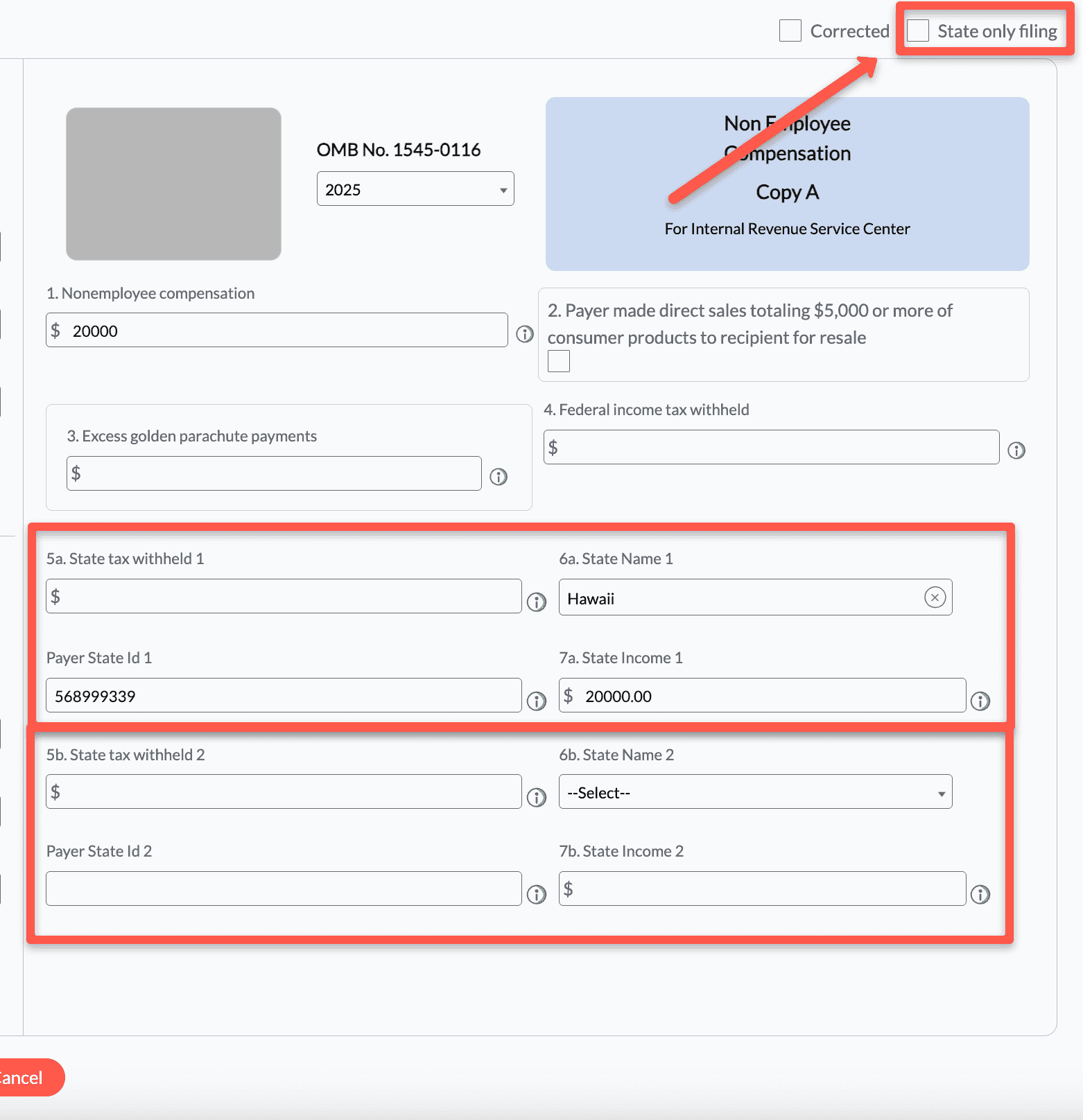
You can enter information for up to 2 states under boxes 5 and boxes 6.
The state will update automatically based on the address entered, but you can change this information as needed. (The state is generally where the contractor was working for you.)
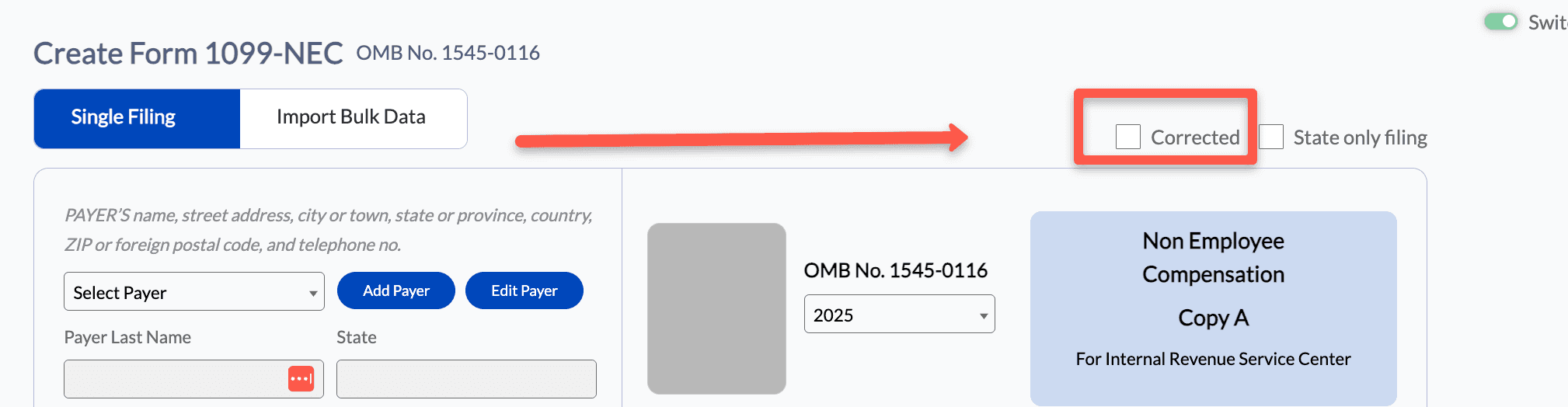
If you need to file for a state only, there is a "State Only" checkbox in the top right.
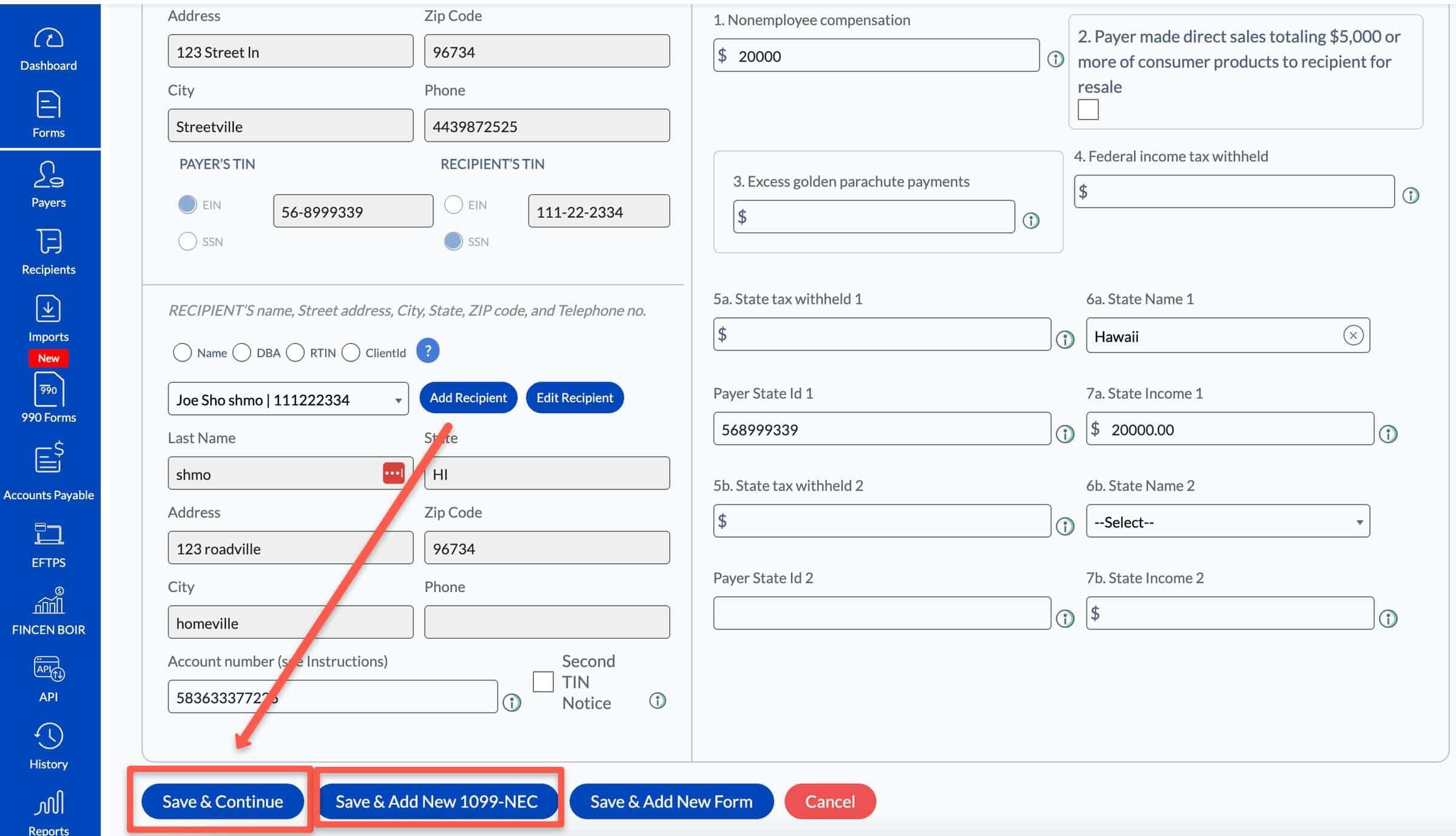
Scroll down and click "Save & Continue" (or add another form). You can also bulk import your forms, if you have a bunch to file.
Step #5 Pay and submit your forms
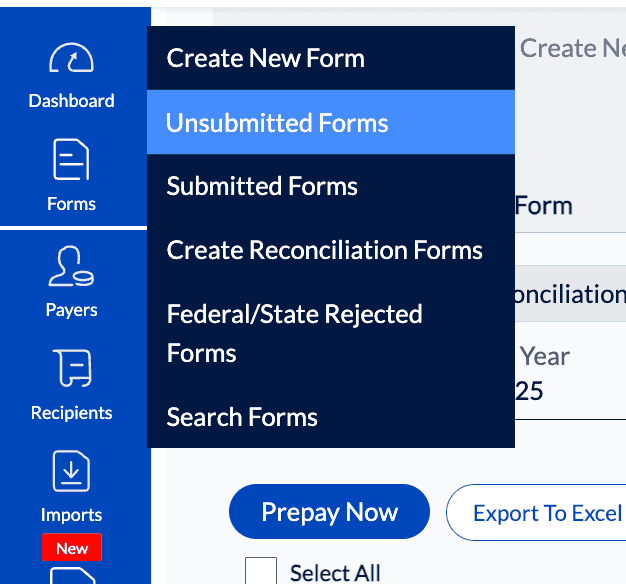
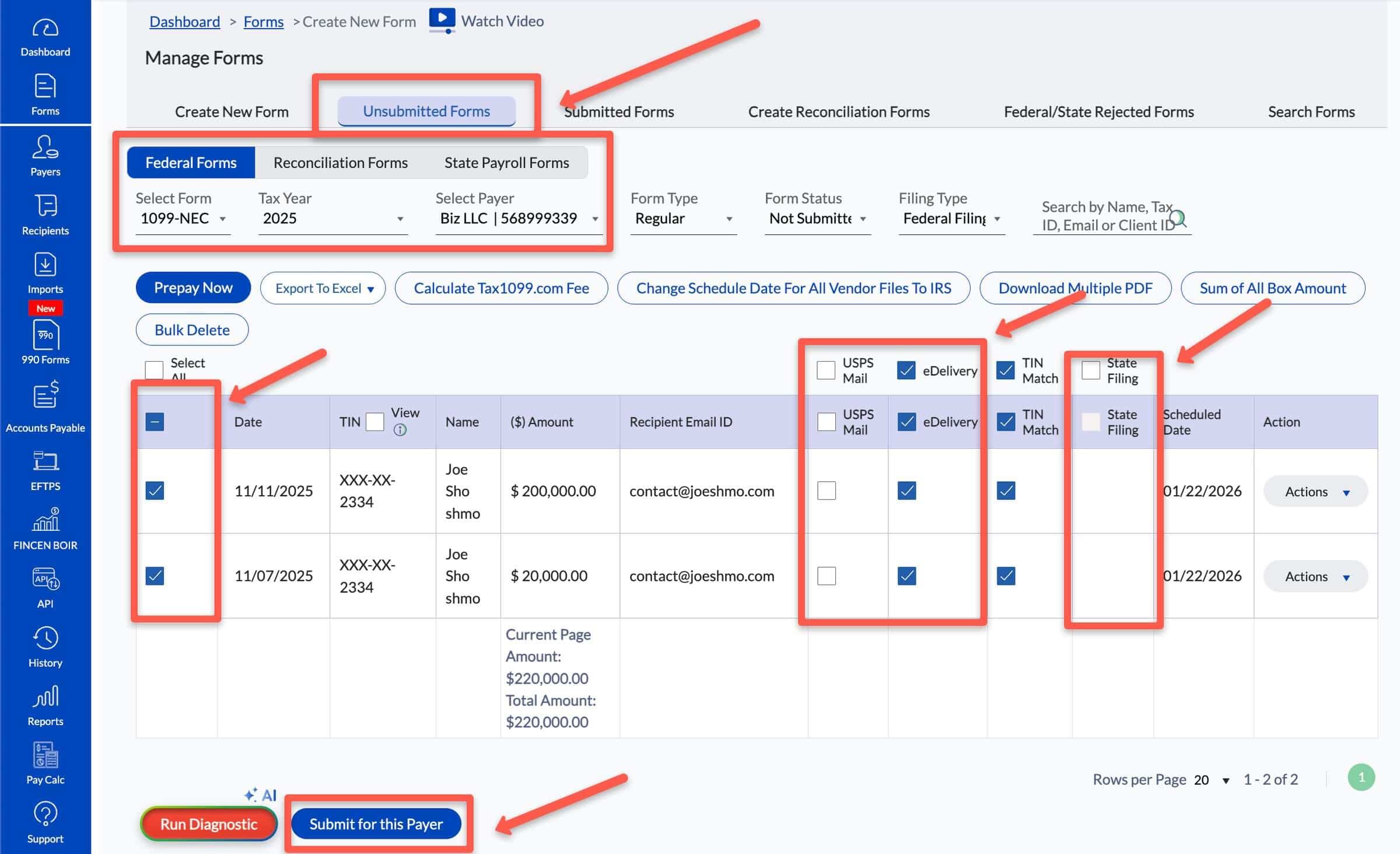
On the next screen, you'll be at "Unsubmitted forms".
Alternatively, you can go to the blue menu on the left, select "Forms" and then "Unsubmitted forms" from the drop-down menu.
[If you don't see your 1099s listed on screen, go below the "Unsubmitted Forms" tab and select the form "1099-NEC", the tax year and your business name.]
Next, you'll see your updated 1099s listed below.
You can make the following selections:
- State Filing: You can check the box to file any required state filings. The box will only show up if the state has a separate filing requirement (it will not show up if the state participates in the CFSF program as this will happen automatically).
- TIN Match: Will match the business or individual identifying number with the name of the business or individual
- Delivery Options: You can choose how your recipients will receive their copies
- USPS will deliver a paper copy to the address for the recipient
- EDelivery will deliver a virtual copy to the E-mail address for the recipient
Once you are finished, click the blue "Submit for this Payer" at the bottom of the screen.
You'll be prompted to make a payment of about $2 per form (the price goes down the more forms you file).
For an added discount, be sure to enter my coupon code: BFCOACH15
You'll receive a notification within 24–48 hours (often sooner), telling you that your forms have been accepted or rejected.
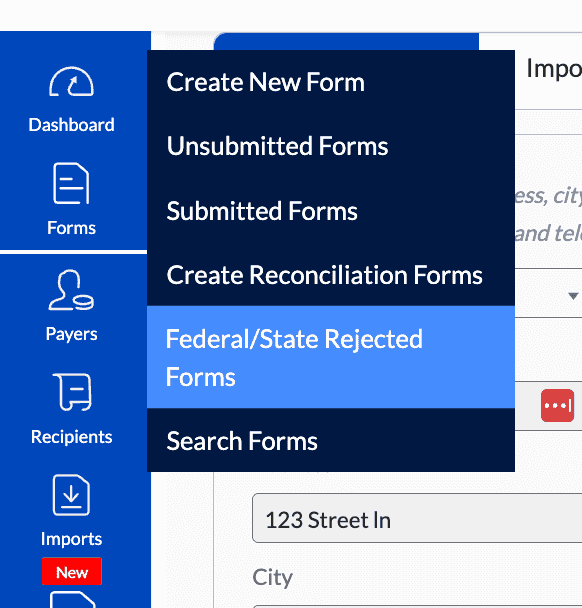
What if my E-filed 1099-NEC is rejected?
If your form is rejected, your form has not been filed. You'll receive a reason for the rejection. You can correct this and then re-submit the form.
Most often, forms are rejected because your TIN/SS does not match your name or business name (or recipients).
How to fix a mistake on an E-filed form 1099-NEC?
If you filed a Form 1099-NEC, and it was accepted by the IRS, to make a change - you'll need to file a "Corrected form."
Create a new Form 1099-NEC with the correct information. In the top right of the form entry screen, select the checkbox for "Corrected". Then submit normally.